

















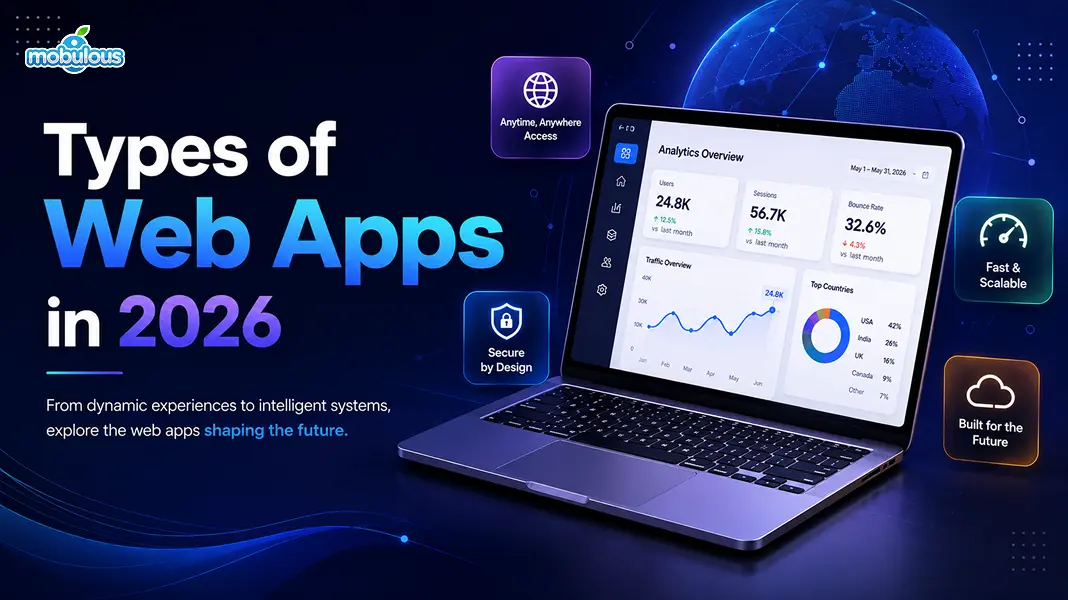
Every time you edit a Google Doc, drag a Trello card, or stream a show on Netflix, you’re using a web app. They’ve quietly taken over how we work, shop, and relax online. This guide breaks down what web apps actually are, the main types you’ll run into, and 10 real-world web app examples worth knowing in 2026.
What Is a Web App?
A web app is software you run through a browser instead of installing it. No downloads, no updates to manage. You just open a tab and get to work.
How Web Applications Work
Web apps live on remote servers. Your browser sends a request, the server processes it, then sends back the interface you interact with, usually built with HTML, CSS, and JavaScript.
Web App vs Website: What’s the Difference?
|
Feature |
Website |
Web App |
|
Purpose |
Share information |
Perform tasks |
|
Interaction |
Mostly read-only |
Highly interactive |
|
Example |
News blog |
Google Docs |
|
Login required |
Rarely |
Usually |
|
Data updates |
Static content |
Real-time data |
Types of Web Applications
Web apps come in many forms, and each one is built for a different job. Here are the main types you’ll come across.
1. Static Web Applications
Static web apps show the same content to every visitor. There’s no database, no personalization. They’re fast, cheap to host, and work well for simple landing pages or portfolios.
2. Dynamic Web Applications
Dynamic web apps pull data from a database and change based on user input. Think login screens, personalized dashboards, or anything that reacts differently to each visitor.
3. Single-Page Applications (SPA)
SPAs load one HTML page and update content dynamically as users interact, without full page reloads. Gmail and Trello are good examples. They feel quick and app-like.
4. Multi-Page Applications (MPA)
MPAs load a fresh page from the server every time you click a link. This is common on large sites with many separate pages, like e-commerce catalogs or news portals.
5. Progressive Web Applications (PWA)
PWAs blend web and native app experiences. They work offline, send push notifications, and can be installed on your home screen, all while still running through a browser.
6. E-commerce Web Applications
E-commerce web apps handle browsing, carts, payments, and order tracking. Shopify and Amazon depend on these. They need to stay fast, secure, and ready for high traffic.
7. Portal Web Applications
Portal web apps pull information from multiple sources into one login-protected space. Think employee intranets, student portals, or banking dashboards built around personalized content.
8. Content Management System (CMS) Web Apps
CMS web apps let non-technical users create and manage content without touching code. WordPress and Webflow are well-known examples, powering millions of blogs and business sites.
9. Rich Internet Applications (RIA)
RIAs bring desktop-like features into a browser; think drag-and-drop editors, video tools, or design software. They rely heavily on JavaScript frameworks to feel smooth and fast.
10. Enterprise Web Applications
Enterprise web apps handle complex business operations at scale, like CRM or ERP systems. They connect departments, automate workflows, and often integrate with dozens of other tools.
11. Animated Web Applications
Animated web apps use motion and small interactions to guide users and hold their attention. Portfolio sites, product showcases, and interactive storytelling platforms fall into this group.
Top 10 Web App Examples in 2026
Here’s a look at real web application examples people rely on every single day.
1. Google Docs
Google Docs lets people write, edit, and collaborate on documents in real time, right inside a browser. Nothing to install, ever.
Type of web app: Single-Page Application (SPA) with cloud sync
Key features:
- Real-time collaboration between multiple users
- Offline editing mode when internet drops
- Automatic saving to the cloud as you type
2. Trello
Trello turns project management into visual boards and cards. Teams organize tasks and track progress without messy spreadsheets or long email threads.
Type of web app: Single-Page Application (SPA)/Portal web app
Key features:
- Drag-and-drop boards for task management
- Task automation through Butler
- Integrations with Slack, Google Drive, and more
3. Notion
Notion combines notes, docs, wikis, and project tracking into one flexible workspace. It’s become a go-to tool for teams organizing their entire workflow.
Type of web app: Single-Page Application (SPA) with dynamic content rendering
Key features:
- Customizable databases and templates
- Real-time collaboration across teams
- Cross-platform sync between web, desktop, and mobile
4. Canva
Canva makes graphic design accessible to anyone, no design degree needed. Users create social posts, presentations, and marketing materials directly in the browser.
Type of web app: Rich Internet Application (RIA)
Key features:
- Drag-and-drop design editor
- Huge library of templates and assets
- AI-assisted design suggestions
5. Figma
Figma is a browser-based design tool built for real-time collaboration. Multiple designers can work on the same file at once, from anywhere in the world.
Type of web app: Rich Internet Application (RIA)/Single-Page Application (SPA)
Key features:
- Live multiplayer editing
- Reusable component libraries
- Developer handoff tools for clean code exports
6. Slack
Slack replaced email for millions of teams. It’s a messaging web app built around channels, threads, and integrations that keep work conversations searchable.
Type of web app: Single-Page Application (SPA) with real-time updates
Key features:
- Channel-based team messaging
- Large app integration marketplace
- Fully searchable message history
7. Spotify Web Player
Spotify’s web player streams millions of songs directly through a browser, no app download required. It mirrors the desktop experience closely.
Type of web app: Dynamic Web App/Single-Page Application (SPA)
Key features:
- Music streaming without installation
- Personalized playlists based on listening habits
- Playback that syncs across devices
8. Airbnb
Airbnb’s web app lets users search, book, and manage stays around the world. It handles huge amounts of listing data and real-time availability checks.
Type of web app: Dynamic Web Application
Key features:
- Real-time search filters and availability
- Secure in-app payment processing
- Built-in host-guest messaging
9. Shopify Admin
Shopify Admin is the dashboard store owners use to manage products, orders, and customers. It’s the backbone behind countless online stores.
Type of web app: Enterprise/E-commerce web app
Key features:
- Inventory and order management
- Built-in sales analytics
- Third-party app integrations for extra functionality
10. Netflix
Netflix’s web app streams shows and movies directly in the browser, with recommendations shaped by your viewing history and behavior.
Type of web app: Dynamic Web Application with PWA features
Key features:
- Personalized recommendation engine
- Adaptive streaming quality based on connection
- Multiple user profiles per account
Common Features of Successful Web Apps
The best web applications share certain traits, no matter the industry or purpose.
1. Responsive Design
Successful web apps adjust smoothly across phones, tablets, and desktops. Users expect a consistent experience no matter what screen size they’re on.
2. Fast Loading Speed
Speed matters more than ever. Slow web apps lose users within seconds, so top-performing apps optimize code, images, and server response times constantly.
3. Secure Authentication
Strong login systems, two-factor authentication, and encrypted data protect user information. Security isn’t optional anymore; it’s the baseline expectation for any web app.
4. Cloud Synchronization
Cloud sync keeps data updated across every device automatically. Start a task on your laptop, finish it on your phone, without losing a single change.
5. Offline Functionality
Many modern web apps work even without internet access, saving changes locally and syncing once connection returns. This keeps productivity going anywhere.
6. Real-Time Updates
Real-time features let multiple users see changes instantly, whether that’s a shared document, a live chat thread, or a design file updating as you watch.
7. API Integrations
APIs let web apps connect with other tools and services, from payment gateways to calendars. This extends functionality without building everything from scratch.
Benefits of Web Applications
Web apps offer real advantages over traditional desktop software, especially for businesses scaling fast.
1. Easy Accessibility
Web apps run on any device with a browser and internet connection. No downloads, no storage space needed; just open a tab and start working.
2. Lower Maintenance Costs
One codebase serves every user, which cuts down development and maintenance costs compared to building separate apps for each operating system.
3. Automatic Updates
Updates roll out on the server side instantly. Users always get the latest version without manually downloading patches or waiting on app store approval.
4. Improved Collaboration
Teams can work together in real time, no matter where they’re located. Shared documents, boards, and dashboards make remote collaboration feel almost effortless.
5. Better Scalability
Cloud infrastructure lets web apps handle growing user bases without a full rebuild. Businesses add resources as demand increases, not before it’s needed.
6. Cross-Device Compatibility
Web apps work across Windows, Mac, Android, and iOS without separate builds. One version reaches everyone, saving both time and development money.
How to Choose the Right Type of Web App
Picking the right type depends on a few practical factors. Here’s what actually matters.
1. Based on Business Goals
Start with what you’re trying to achieve. An e-commerce goal needs different architecture than a content platform or an internal team tool.
2. Based on Target Users
Think about who’s using the app daily. Internal employees need different features than public customers casually browsing from their phones.
3. Based on Budget
Simpler web apps cost less to build and maintain. Complex, feature-heavy applications call for bigger budgets and longer development timelines upfront.
4. Based on Performance Requirements
High-traffic apps need solid infrastructure and optimized code. Define your speed and uptime expectations early, before development even starts.
5. Based on Future Scalability
Think beyond launch day. Choose an architecture that can handle growth, added features, and more users without needing a full rebuild later.
Cost of Developing a Web App in 2026
Web app development cost varies widely from $5,000 to $500,000+ based on complexity, features, and the development team you choose to work with.
Estimated Cost by Complexity
|
Complexity |
Features |
Estimated Cost |
|
Simple |
Basic forms, static pages |
$5,000 – $15,000 |
|
Moderate |
User accounts, dynamic content |
$15,000 – $50,000 |
|
Complex |
Real-time features, integrations |
$50,000 – $150,000 |
|
Enterprise |
Custom systems, high scalability |
$150,000 – $500,000+ |
Timeline for Development
Most web apps take anywhere from 3 to 7 months to build, depending on complexity, team size, and how many features are involved along the way.
H2 – FAQs – Web App Examples
Q1. What is the difference between a web app and a website?
Ans. A website mainly shares information for people to read. A web app lets users perform tasks, like editing documents or managing projects, in an interactive way.
Q2. What are the main types of web applications?
Ans. These are the main types of web applications:
- Static web applications
- Dynamic web applications
- Single-page applications (SPA)
- Multi-page applications (MPA)
- Progressive web applications (PWA)
- E-commerce web applications
- Portal web applications
- CMS web applications
Q3. Which is the best example of a web application?
Ans. Google Docs stands out as one of the strongest web application examples. It offers real-time collaboration, cloud saving, and offline access, all inside a browser.
Q4. Are Progressive Web Apps (PWAs) replacing native apps?
Ans. No, PWAs aren’t fully replacing native apps. They offer a lighter, cheaper alternative for many businesses, but native apps still win when it comes to deep hardware access, gaming performance, and advanced offline features. Both formats coexist, serving different needs depending on the use case and platform.
Q5. Which technologies are best for web app development?
Ans. These are the best technologies for web app development:
- React, Vue, or Angular for the frontend
- Node.js, Python (Django/Flask), or Ruby on Rails for the backend
- MongoDB, PostgreSQL, or MySQL for the database
- AWS, Google Cloud, or Azure for hosting
Q6. How much does it cost to build a web application?
Ans. Web app development costs range from $5,000 to $500,000+, depending on complexity, features, design requirements, and the development team’s experience and location.
Q7. How long does web app development take?
Ans. Development typically takes 3 to 7 months. Simple apps move faster, while complex, feature-heavy platforms need more time for testing and refinement.