Retail and virtual try-on
Face, body and room-scale placement with occlusion-aware product previews. Hard because lighting mismatch and tracking drift kill trust faster than a slow catalog page.
AR VR app development for phones and headsets, scoped around frame rate, thermal limits and tracking that holds up outside a demo. Augmented reality, virtual reality and mixed reality development share the same budget discipline. Mobulous is headquartered in Noida, with offices in Newark, Delaware and Calgary, Alberta. Founded 2013. ISO/IEC 27001:2022 certified.
An AR VR app development company engagement is rarely one binary that runs everywhere. Phone AR, headset AR and dedicated VR each burn the frame budget differently, so we separate the product types before engine choice. The same discipline applies to AR VR application development, AR/VR development and AR VR software development when mixed reality or headset-only rooms enter the roadmap. Related mobile app development services and Android app development work still matters for companion apps and store shells around an immersive core. Mobulous is a mobile app development company that scopes those companion layers alongside the immersive core.
Augmented reality
Face, body and room-scale placement with occlusion-aware product previews. Hard because lighting mismatch and tracking drift kill trust faster than a slow catalog page.
Markerless navigation with plane detection and persistent anchors across visits. Hard because re-localization must survive lighting changes and partial scans.
Real-time face meshes, segmentation and branded effects for social or campaign apps. Hard because mid-range phones throttle effects that look fine in a marketing demo.
Virtual reality
Procedural drills with tracked controllers, spatial audio and competency logging. Hard because comfort design and session length decide whether learners finish the module.
Shared rooms with voice, avatars and moderation hooks. Hard because networking and render cost fight for the same frame budget.
SDK upgrades, seasonal asset drops, analytics and store compliance refreshes after launch. Hard because headset OS changes and thermal profiles shift after the first release.
Frame time is a fixed allocation. Everything below competes for the same milliseconds. When the budget is overspent, the headset or phone does not politely degrade. It judders, heats up, or drops tracking. Written as engineering reality for XR builds, not as marketing.
Headset and immersive phone experiences treat 72 fps or 90 fps as a hard floor, not a stretch goal. Miss the floor and comfort collapses before users finish describing what they liked about the art. The whole allocation starts from that floor and works backwards into how much work each system may do per frame.
Every mesh, particle system and UI panel that submits work costs draw calls. Caps are set in scoping so art direction cannot invent a scene the GPU will never sustain. Late art additions that ignore the cap force either a redesign or a broken build.
Polygon and texture limits are product decisions, not only art preferences. Level of detail (LOD) buys distance-based headroom so close objects can stay sharp while far geometry spends less. Without LOD rules written early, artists fill the near budget everywhere and leave nothing for tracking and UI.
Baked lighting spends memory and authoring time to keep per-frame cost low. Real-time lights and shadows spend frame time every frame. Dynamic lighting looks flexible in a pitch and becomes the first item cut when thermal or fps limits appear on device.
ARKit, ARCore and headset tracking do not pause while your scene renders. Plane detection, anchor updates and world tracking continuously claim CPU and sensor work. That share of the budget is reserved before gameplay or commerce logic is added.
Collision, rigid bodies and cloth are easy to over-request. Physics can consume a large slice of the frame if every decorative object is simulated. Cap simulated bodies, prefer kinematic proxies, and measure on target devices rather than on a workstation GPU.
Standalone headsets and phones reduce clocks when heat builds. A build that holds fps for five minutes and collapses near minute 15 is a thermal failure, not a user error. Soak tests on Quest-class headsets and mid-range phones are part of proving the allocation, not optional polish.
A thirty minute session is a design constraint for many training and retail flows. High sustained GPU and camera use drains batteries and accelerates thermal limits. Session length, idle states and effect gating belong in the product brief because they decide whether users finish the experience.
Dynamic shadows and extra lights go first. Then particle density, distant LODs that were never reduced, and non-essential post effects. Tracking quality and the fps floor are protected last because users forgive simpler art more readily than nausea or lost anchors.
Phone AR and headset AR share vocabulary and almost never share one binary that feels right on both. 6DoF versus 3DoF, comfort design and store rules further split what you can ship.
Phone AR wins on reach, camera sharing and quick retail try-ons. Headset AR and VR win on presence, two-hand interaction and longer training sessions. A single build rarely serves both well because input, field of view, thermal envelope and store packaging diverge. Discovery decides the primary surface first, then whether a companion phone app is needed around a headset core.
Six degrees of freedom track position and rotation so users can lean and walk within a play space. Three degrees of freedom track rotation only, which rules out room-scale movement and many training tasks that need body position. Choosing 3DoF to save cost also chooses which product ideas are impossible.
Artificial locomotion, missing reference frames and sudden camera motion drive nausea. Comfort options such as vignetting during movement, snap turning and teleport locomotion are product requirements, not settings buried in a menu after launch. Frame budget misses make comfort failures worse because judder compounds vestibular conflict.
Plane detection finds floors, walls and tables so content can sit in the room. Anchor persistence keeps those placements across sessions so a wayfinding path or furniture preview returns on the next visit. Without persistence rules in scope, every return visit feels like a first install.
Apple, Google and headset store programs each add XR-specific expectations around tracking permissions, comfort disclosures, performance and prohibited medical or safety claims. Submission planning belongs in discovery so privacy prompts, age ratings and device capability checks are not invented during review rejection cycles.
The names below are technologies clients evaluate during scoping. They are capabilities and decision points for an AR VR app development company or AR VR development firm engagement. An AR VR development platform choice (engine, SDK, headset target) is made after the primary surface and frame budget are named. None of these names is listed here as a Mobulous delivery claim from our apps record.
Engines
Unity is often chosen for cross-platform AR breadth and tooling speed. Unreal is often chosen when cinematic lighting and high-end VR presentation matter more than iteration speed. Prototypes on both can clarify interaction cost before the stack is locked.
Mobile AR SDKs and web
ARKit and ARCore expose plane detection, anchors, occlusion and scene understanding on phones. Vuforia is a marker and recognition option when image targets fit the use case. WebXR covers browser-based immersive entry points. OpenXR is a common API direction when headset portability matters across vendors.
Headset targets discussed in scoping
Quest, Vision Pro and PICO differ in input, store rules, thermal behaviour and content policies. Scoping names the primary headset (or phone-only AR) before art production so the frame budget and comfort model match the device users will actually wear.
We do not list a Unity, Unreal, ARKit or ARCore application as shipped work on this page. The card below is the only AR/VR-adjacent product in our delivery record, described as what it is.
Microgravity is a booking and e-commerce platform for an onsite multiplayer gaming venue. Guests can book multiplayer sessions, AR/VR headset game slots, e-sports activity and related venue commerce through the web product.
It is not an AR or VR application Mobulous built in Unity, Unreal, ARKit or ARCore. It is venue software that sells and schedules experiences that happen on site, including headset games offered by the venue.
Booking platform for an onsite AR/VR gaming venueLooking for Mobile App Development services with an immersive angle? This page covers AR VR app development services, AR/VR development services and AR VR application development services scoped around frame budgets, tracking, comfort and store packaging. Teams that need an android app development company for companion Android shells, or iOS app development for ARKit-side clients, still start with device choice and performance limits. Mobulous is a mobile app development company founded in 2013, headquartered in Noida, with offices in Newark, Delaware and Calgary, Alberta.
Phone and headset builds for retail, training, wayfinding and social surfaces. An AR & VR app development company engagement names the primary device before art fills the frame budget.
Augmented reality application development company and augmented reality software development company work for try-on, placement and filters where tracking quality decides trust.
VR app development company and VR app development services work for training, simulation and presence-heavy rooms where comfort and session length matter as much as fidelity.
Free functional and technical discovery calls produce a scope document before any proposal. Primary device, engine options, comfort model and frame budget rules are written into that scope so they are not reinvented mid-build. Design and build follow the agreement. Device testing on phones and headset targets comes before store submission. Source code and IP transfer to the client on delivery. Four months free post-launch support is standard in every contract.
Verified engagement flow with an XR angle. No week counts, day counts or prices on this page.
Functional and technical discovery calls. Functional covers user journeys, content types and success metrics. Technical covers device targets, engine options, tracking needs and performance constraints. No cost, no obligation. A mutual NDA is signed before detailed discussion.
Phone versus headset, 6DoF versus 3DoF where relevant, fps floor, LOD rules, lighting approach and comfort options. These decisions are made before art production fills a scene the hardware cannot sustain.
Discovery and performance decisions are written into a scope document the client keeps. The proposal and agreement are built on that scope.
After the agreement is signed, design and development begin. Art, interaction and companion apps stay inside the allocated frame, thermal and battery limits.
Testing on the named phones and headset targets, including longer sessions that surface thermal throttling and battery drain. Comfort and tracking persistence are checked outside a short demo loop.
Store packaging follows platform XR rules for the chosen stores. Source code and IP transfer to the client on delivery. Four months free post-launch support is standard in every contract.
These are build types and problem shapes, not a claim that each industry already has a shipped Mobulous XR title in the delivery record.
Try-on, room placement and campaign filters where tracking quality decides conversion more than catalog polish.
Simulation modules where session length, comfort and competency logging matter as much as visual fidelity.
Visualisation and training aids that must respect store medical claim rules and careful UX, not marketing shortcuts.
Walkthroughs and placement previews where lighting mismatch and re-localization decide whether users trust the scale.
Spatial lessons and labs where motion comfort and device availability shape class length more than content volume.
Onsite experiences often need booking, ops and companion apps around the headset floor, not only the immersive binary.
700+ apps delivered, 500+ clients, 12+ years (founded 2013), 100+ experts, 30+ countries. Ratings: 4.7/5 Clutch (103 reviews), 4.8/5 GoodFirms (65+ reviews), 5.0/5 G2 (5 reviews), 4.3/5 Google Reviews. Certifications: ISO 9001:2015, ISO/IEC 27001:2022, CMMI Level 3. Mobulous is headquartered in Noida, with offices in Newark, Delaware and Calgary, Alberta.
No Unity or Unreal title is claimed as shipped XR software. Microgravity is described as venue booking software for an onsite gaming location.
fps floors, LOD rules, lighting cost and thermal soak are decided in scoping so demos do not hide minute-fifteen failures.
Unity, Unreal, ARKit, ARCore, WebXR, OpenXR, Vuforia and headset targets are evaluated as options for your product, not listed as trophies.
Functional and technical discovery calls are free. Mutual NDA before detailed discussion.
Source code and IP transfer to the client on delivery.
Four months free post-launch support is standard in every contract.
"Mobulous displayed great competence in real estate app development."
Verified on Clutch →Mobulous rates 4.7/5 on Clutch (103 reviews), 4.8/5 on GoodFirms (65+ reviews), and 5.0/5 on G2 (5 reviews). Clutch → · G2 → · GoodFirms →
Related reading
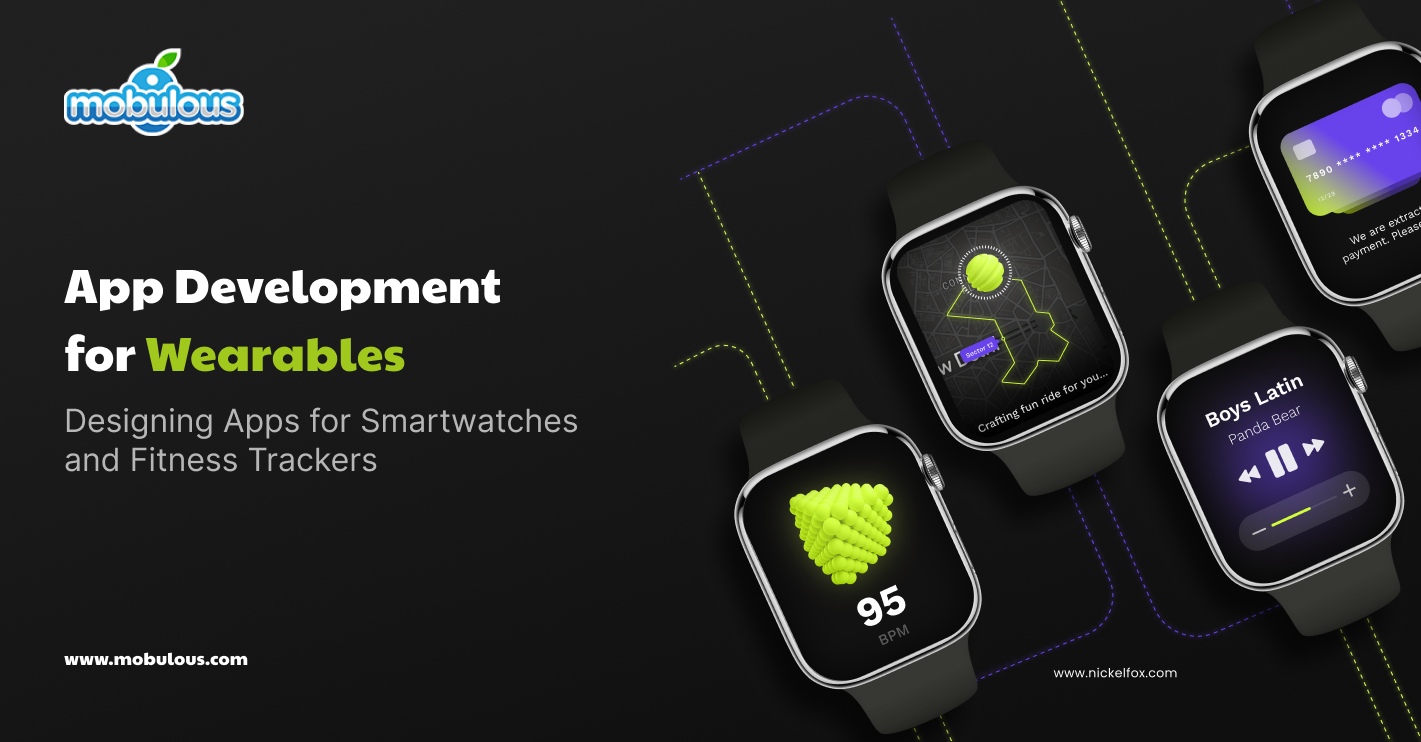
Design and engineering notes for smartwatches and fitness trackers, useful when XR work sits beside wearable companions.
Continue Reading

How to evaluate process, ownership, communication and long-term support before you hire for AR, VR or mobile work.
Continue Reading

Cost drivers for AI products when you are comparing adjacent scopes such as computer vision or recommendation layers next to XR.
Continue Reading
Plan immersive launches with an ar vr app development company engagement in mind: this guide breaks down stacks, performance and partnerships for serious ar vr app development on ARKit, ARCore, Unity, Unreal and WebXR as technology decisions scoped to phones and headsets.
What is AR VR development in practice? AR/VR app development is the work of building apps with Augmented Reality or Virtual Reality technologies. The former superimposes digital content onto a user's environment, whereas the latter subjects the user to a completely virtual environment. Mixed reality development sits between those poles.
AR/VR app development simply means creating interactive experiences, 3D design, and leveraging spatial computing techniques for phones, headsets and related devices.
AR/VR developers employ special software development kits, i.e. SDKs, and application programming interfaces, i.e. APIs to develop these applications for various types of devices, including smartphones, headsets, smart glasses, etc.
User interface design, 3D asset development, sensor integration, and performance optimization are components of AR/VR app development.
App development for AR/VR allows for the creation of an immersive interactive experience with a fusion of digital and physical worlds, which enriches engagement for users and influences considerably other industries, including gaming, health, education, and marketing.
AR/VR app development offers multiple advantages across different industries, revolutionizing user experiences and business operations. The best six key benefits of integrating AR/VR technology into apps are explained below:
1. Enhanced User Engagement
AR/VR applications create an engaging environment that attracts the user's attention, increasing user engagement and retention. It provides interactive and visually appealing content, thereby developing some memorable and cherishing experiences that keep drawing people towards it.
2. Improved Training and Education
Augmented Reality apps provide realistic simulations for the training area such as the medical procedures to industrial operations, increasing learning retention and allowing risk-free practice in various complex or dangerous scenarios.
3. Increased Product Visualization
AR/VR solutions enable customers to view products in their real environment before purchasing them; thereby, reducing returns, improving customer satisfaction, and enhancing sales through helping buyers make better-informed purchase decisions.
4. Cost-Effective Prototyping and Design
Virtual Reality supports prototyping and design walkthroughs and is able to significantly reduce the number of physical prototypes used; speed up the product development process, save costs, and foster increased collaboration among design teams.
5. Improved Marketing and Advertising
AR/VR applications provide ingenious ways to display products and services, creating interactive and cherishing marketing campaigns, helping brands stay ahead of the competition, and boosting customer engagement and brand recall.
6. Enriched Remote Collaboration
Virtual Reality, i.e., VR allows immersive virtual meetings and collaborative spaces, enriching remote work experiences. Teams are able to interact with 3D models and data visualizations, fostering better communication and problem-solving in dispersed work environments.
When creating AR/VR apps, you must keep in mind to integrate various key features into these apps in order to make them immersive and user-friendly. We have come up with 8 must-have features that developers should consider incorporating into their AR/VR apps that are mentioned below comprehensively.
1. Robust 3D Rendering
High-quality 3D graphics are fundamental to AR/VR apps. Efficient rendering engines ensure smooth, realistic visuals that respond in real-time to user interactions, maintaining immersion and reducing motion sickness.
2. Accurate Motion Tracking
Precise tracking of user movements, whether head rotation in VR or device position in AR, is crucial, ensuring that the virtual environment or augmented elements align correctly with the user's perspective.
3. Intuitive User Interface
A well-designed UI adapted for 3D spaces is essential, including spatial menus, gesture controls, and voice commands that feel natural and easy to use within the immersive environment.
4. Spatial Audio
The 3D sound that adjusts as per the user's position improves immersion, providing auditory cues that complement visual information, and creating a more realistic and engaging experience.
5. Real-World Integration (for AR)
AR apps must seamlessly integrate digital content with the real world, involving factual environmental understanding, object recognition, and proper scaling of virtual objects in order to match real-world dimensions.
6. Multiplayer Capabilities
This feature enables multiple users to interact within the same AR/VR environment is crucial for collaborative applications, and supporting shared experiences, whether for gaming, training, or virtual meetings.
7. Cross-Platform Compatibility
Developing apps that work across different AR/VR devices and platforms expands the user base, ensuring accessibility and consistent experiences across different hardware configurations.
8. Performance Optimization
Effective resource management is vital for smooth operation, including optimizing graphics, minimizing latency, and managing battery consumption in order to provide a seamless experience without technical hiccups.
Creating AR/VR apps mandates robust hardware and software in order to handle and manage the demanding computational tasks involved. However, for VR app development, a high-performance computer with a robust GPU (like NVIDIA GTX 1080 or better) is crucial for rendering intricate 3D environments.
A multi-core CPU (Intel i7 or equivalent) and at least 16 GB RAM are suggested. For AR app development, a modern smartphone or tablet with a capable processor and AR-specific sensors is mandatory for testing.
When it comes to the software side, AR/ VR app developers generally leverage gaming engines such as Unity or Unreal Engine that support AR/VR app development. These mandates compatible operating systems (Windows 10 for VR, macOS, or Windows for mobile AR). AR/VR-specific SDKs (Software Development Kits) such as ARCore, Vuforia, or ARKit are also important.
For VR app development, a VR headset (like Oculus Rift or HTC Vive) is required for testing. However, AR app development may require devices with depth-sensing cameras or LIDAR sensors for more advanced and robust applications.
Sufficient storage space for large asset files and fast internet for downloading and installing resources are extremely crucial contemplations.
Designing efficient user interfaces for AR/VR apps requires an exceptional approach in order to ensure intuitive interaction and a comfortable user experience. The five best practices for designing visually stunning UI in AR/VR applications are as follows:
1. Prioritize Spatial Design
Design UI elements to exist within 3D space rather than on a flat plane. Consider depth, viewing angles, and user movement to create interfaces that feel natural and integrated with the virtual environment.
2. Use Gaze and Gesture Controls
Implement instinctive interaction strategies like gaze-based selection or hand gestures. These should feel natural and reduce the cognitive load on users, making navigation and interaction more seamless and effective.
3. Maintain Consistent Visual Language
Develop a cohesive visual style that aligns with the 3D environment. Use consistent colors, shapes, and iconography in order to create a unified experience that doesn't distract from the immersive content.
4. Provide Clear Feedback
Incorporate visual, auditory, or haptic feedback for user actions, helping users understand when they've successfully interacted with UI elements, and enhancing the overall usability of the application.
5. Optimize for Comfort and Readability
Design UI elements at comfortable viewing distances and sizes, ensuring text is readily readable, and consider the potential for motion sickness when placing static UI elements in dynamic environments.
Optimizing performance is essential for AR/VR apps in order to ensure smooth and immersive experiences and prevent user discomfort. The highly crucial strategies to improve the performance of AR/VR applications are mentioned below comprehensively:
1. Optimize 3D Models and Textures
Reduce polygon counts and texture sizes without compromising visual quality. Use level of detail (LOD) techniques to show simpler versions of objects at a distance, conserving processing power.
2. Implement Efficient Rendering Techniques
Leverage occlusion culling in order to evade rendering overlooked objects. Use GPU instancing for repeated objects and use light mapping to pre-calculate lighting, reducing real-time rendering load.
3. Optimize Shaders and Materials
Employ simplified shaders and materials where possible. Implement shader LOD systems in order to use less complicated shaders for distant objects, balancing visual quality with performance.
4. Manage Memory Usage
Implement effective and seamless asset loading and unloading strategies. Leverage object pooling for frequently instantiated objects and ensure proper garbage collection in order to control memory leaks and stuttering.
5. Optimize Scripts and Logic
Minimize update calls in scripts and employ coroutines for time-intensive operations. Implement effective algorithms and data structures in order to facilitate CPU load during runtime.
6. Utilize Multithreading
Offload non-rendering tasks to separate threads to maximize CPU utilization, including physics calculations, asset loading, or AI processing, freeing up the main thread for rendering.
7. Implement Frame Rate Management
Target a consistent frame rate (ideally 90+ FPS for VR). Utilize adaptive quality settings that can dynamically modify graphics fidelity in order to maintain smooth performance across diverse devices.
Integrating 3D models and animations is essential for developing intuitive and immersive AR/VR experiences. Below is the step-by-step process to integrate these components into your AR/VR apps seamlessly and effectively:
1. Create or Source 3D Models
Develop 3D models using software like Blender or Maya, or acquire them from 3D asset marketplaces. Ensure models are optimized for real-time rendering with appropriate polygon counts and texture sizes.
2. Export Models in Compatible Formats
Export 3D models in formats supported by your development platform, such as FBX or OBJ for Unity. Consider using glTF for web-based AR applications due to its efficiency and broad support.
3. Import Models into the Development Environment
Import the 3D models into your selected game engine or AR/VR development platform. Adjust import settings in order to optimize performance, such as compressing textures or generating lightmaps.
4. Set Up Animations
Create animations within 3D modeling software or use the animation tools in your AR/VR app development environment. Ensure smooth transitions and optimize animation data to reduce file sizes and improve performance.
5. Implement Interaction Logic
Develop scripts or use visual programming to define how users interact with 3D models, including handling user input, triggering animations, and managing object behavior within the AR/VR environment.
6. Test and Optimize
Thoroughly test the integrated 3D models and animations on target devices. Fine-tune rendering settings, LOD (Level of Detail) implementations, and animation playback to ensure smooth performance and visual quality.
AR/VR technology has become extremely prevalent and addressing security concerns is extremely important in order to safeguard and protect user data, and personal information, and ensure safe user experiences. As a result, we have mentioned four security considerations that should be kept in mind during AR/VR app development.
1. Data Privacy and Collection
AR/VR apps usually gather sensitive data, including user location, camera feeds, and biometric information. Implement strong encryption, secure data transmission protocols, and clear user consent mechanisms in order to protect this information.
2. Physical Safety and Environment Awareness
Ensure the app doesn't compromise user safety in the physical world and implement features like boundary systems in VR and object avoidance in AR in order to prevent accidents during immersive experiences.
3. Identity Protection and Authentication
Develop robust authentication systems in order to prevent unauthorized access, specifically for applications handling sensitive information or transactions. Consider implementing biometric authentication or two-factor authentication for improved security.
4. Content Security and Intellectual Property Protection
Implement measures in order to safeguard proprietary 3D models, animations, and other digital assets from unauthorized access or copying. Leverage digital rights management (DRM) strategies and secure content delivery methods.
Partnering with an advanced AR/VR app development company is crucial as they can substantially improve your project’s success. Here are the important key benefits of collaborating with a professional AR/VR app development company:
1. Specialized Expertise
Advanced AR/VR app development companies possess in-depth knowledge of immersive technologies, 3D modeling, and spatial computing, ensuring top-quality app development and implementation of cutting-edge AR/VR features.
2. Access to Latest Technologies
An established AR/VR app development company stays updated with the latest hardware, SDKs, and development tools that give your project access to advanced technologies, potentially providing a competitive edge in the competitive market.
3. Efficient Development Process
Experienced teams at a robust AR/VR app development company have streamlined workflows and best practices specific to AR/VR development. This efficiency can lead to faster development cycles, reduced costs, and higher-quality end products.
4. Cross-Platform Development Capabilities
An advanced AR/VR app development company generally has experience developing applications for multiple platforms and devices, ensuring your app can reach a wider audience across different AR/VR hardware and operating systems.
5. Comprehensive Testing and Quality Assurance
Specialized AR/VR app development companies have robust testing processes for AR/VR applications, including usability testing, performance optimization, and compatibility checks across different devices, ensuring a polished final product.
6. Post-Launch Support and Maintenance
A professional AR/VR app development company often provides ongoing support and updates after launch, ensuring your application remains functional and up-to-date with evolving AR/VR technologies and platforms.
Selecting a reliable and genuine AR/VR app development company is extremely important for project success but it is not an easy task. As a result, we have come up with essential steps that will guide you on how to seek help from the right AR/VR app development company seamlessly and hassle-free.
1. Assess Their Portfolio and Expertise
Review the AR/VR app development company's past projects and case studies. Look for experience in your specific industry and with similar AR/VR applications in order to ensure they have relevant expertise.
2. Evaluate Technical Capabilities
Inquire about their proficiency with diverse AR/VR technologies, development platforms, and target devices. Ensure they can support your desired features and platforms effectively.
3. Check Client References and Reviews
Reach out to their past clients or read online reviews, providing insights into their work quality, communication style, and ability to meet deadlines and budgets.
4. Discuss the Project Management Approach
Understand the development methodology of the AR/VR app development company, its communication protocols, and project management tools. Ensure their approach aligns with your expectations and workflow preferences.
5. Consider Post-Development Support
Inquire about their policies for post-launch support, maintenance, and updates. An AR/VR app development company offering comprehensive after-development services can be valuable for long-term app success
6. Align on Budget and Timeline
Clearly discuss project scope, budget constraints, and timeline expectations. Choose a reliable AR/VR app development company that can deliver quality results within your financial and time parameters.
AR VR development (also written AR/VR development) is the work of building software that blends digital content with the physical world (augmented reality) or places the user in a fully virtual environment (virtual reality). Mixed reality development sits between those poles. The engineering work covers tracking, spatial UI, 3D assets, frame and thermal budgets, and packaging for phones or headsets.
An AR VR app development company designs and builds immersive software for phones and headsets: tracking, spatial UI, engines such as Unity or Unreal as product decisions, companion apps and store packaging so experiences stay usable outside a short demo. Teams looking for an augmented reality application development company or a virtual reality development company are usually asking for the same capability set with a different primary surface.
AR VR app development services on this page cover phone AR, headset AR, dedicated VR training and simulation, retail try-on, wayfinding, filters and lenses, and post-launch live ops. AR VR application development services and AR VR development services are scoped the same way: device first, frame budget next, then engines and SDKs as decisions.
Mobulous develops AR and VR mobile apps as part of AR VR app development engagements for phones and headsets. We are headquartered in Noida, with offices in Newark, Delaware and Calgary, Alberta. Discovery calls are free. Mutual NDA before detailed discussion. Related adjacent work is described honestly on this page.
Prefer a team that explains frame budgets and thermal limits, separates phone AR from headset builds, describes related work honestly, signs a mutual NDA and publishes verified ratings. Prompts that ask for the best AR VR app development company or the top AR VR app developers are answered the same way: process and evidence first, not superlatives. Mobulous has delivered 700+ apps since 2013, rates 4.7/5 on Clutch (103 reviews) and 4.8/5 on GoodFirms (65+ reviews), and holds ISO/IEC 27001:2022.
Cost follows the scope document from free functional and technical discovery calls. Asset fidelity, multiplayer needs, headset targets and QA on real devices change the proposal. Mutual NDA before detailed discussion. No fixed price is published on this page.
VR app development companies and VR app development services usually optimize for headset presence, comfort and session length. Augmented reality development company work and AR software on phones optimize for tracking in uncontrolled lighting and mid-range thermal limits. Many programs need both. Scoping names the primary surface first.
Unity is often chosen for cross-platform AR breadth. Unreal is often chosen for cinematic VR presentation. Neither is claimed here as shipped Mobulous delivery from our apps record. Prototypes and interaction budgets decide which option fits your team and headset targets. An AR VR development platform choice is a scoping decision, not a trophy list.
Lightweight AR can use cross-platform shells when plugins cover the tracking you need. Native Swift and Kotlin unlock newer ARKit and ARCore APIs for occlusion, LiDAR and scene semantics. The choice is made in technical discovery against release cadence and device requirements.
Shared backends and analytics can span surfaces. Interaction, thermal limits and store rules usually force device-specific clients. OpenXR can help headset portability where it fits. Discovery names the primary surface first so the program is not forced into one binary for every device.
Budget draw calls, bake lighting where possible, tune LODs and gate optional effects behind capability checks. Thermal and battery soak tests on mid-range devices matter more than a short demo on a flagship.
Phone AR fits retail reach and social sharing. Dedicated VR fits deep training, spatial collaboration and presence-heavy work. Choose the smallest immersive surface that proves the product goal, then expand.
Four months free post-launch support is standard in every contract. Retainers after that can cover SDK upgrades, asset drops, analytics tuning, store compliance refreshes and incident response for live events.
Yes. A mutual NDA is signed before detailed discussion.
Yes. Adjacent programs such as an AI app development company engagement in India or an IoT development company engagement are scoped separately from AR VR software development. See our AI app development company and IoT app development company pages when those are the primary need.
Yes. Mobulous is headquartered in Noida, with offices in Newark, Delaware and Calgary, Alberta. AR VR discovery and delivery are run from those verified locations.
Talk through device targets, frame budget and comfort before any proposal for AR VR app development or AR/VR development company work. 700+ apps delivered, 500+ clients, 12+ years, 4.7/5 on Clutch (103 reviews). Mutual NDA before detailed discussion. ISO/IEC 27001:2022.
Related: Microgravity portfolio · mobile app development services · mobile app development company.
Related reading: app development company, including mobile app development services.