



















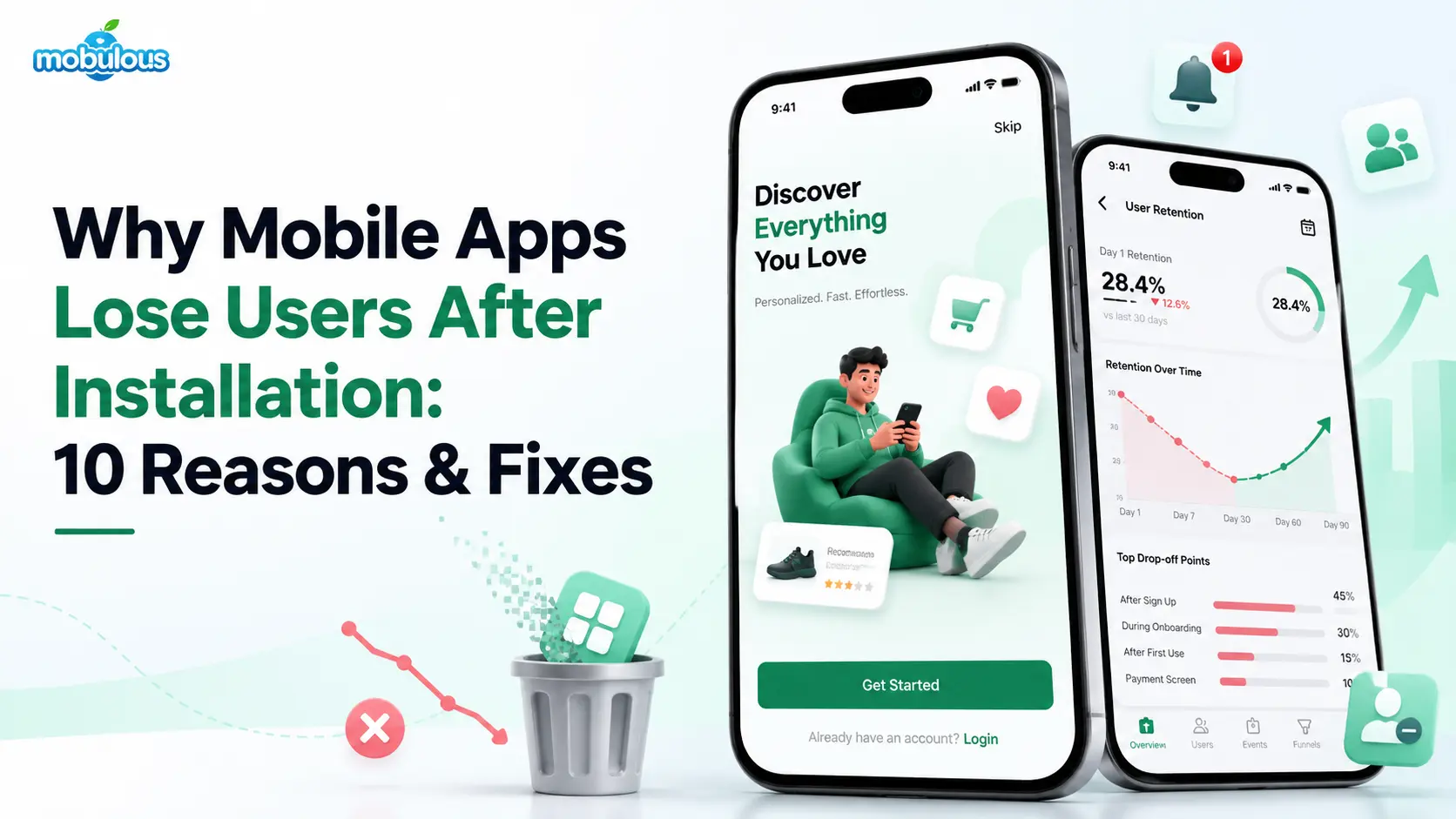
An app can celebrate thousands of downloads and still feel empty within a month. Downloads measure curiosity, while mobile app user retention shows whether people stay. Onboarding friction, slow performance, confusing design, irrelevant notifications, privacy concerns, and unmet expectations all drive abandonment. This guide explains ten reasons and ten fixes.
What Is Mobile App User Retention & Why Does It Matter?
Mobile app user retention is the share of users who return to your app over a set period after first using it. It shows whether the app keeps delivering value after installation, which makes it a stronger signal of product health than downloads.
| Concept | What it means | How it differs |
| Downloads vs. active users | Downloads count installs. Active users open and use the app within a period. | Downloads show reach. Active users show real use. |
| Acquisition vs. retention | Acquisition brings in new users. Retention keeps them coming back. | Acquisition measures the top of the funnel. Retention measures lasting value. |
| Retention vs. engagement | Retention asks whether users return. Mobile app user engagement asks what they do during visits. | One measures return. The other measures depth of use. |
| Churn vs. uninstall | Churn means users stop using the app. An uninstall means they remove it. | Many churned users never uninstall. They simply go quiet. |
These distinctions matter because healthy download numbers can hide a rising mobile app churn rate. Retention problems rarely appear without warning. They usually have identifiable causes, and most can be addressed through product improvements, starting with the ten reasons below.
10 Reasons Why Mobile Apps Lose Users After Installation
Most abandonment traces back to a handful of fixable causes. The ten reasons below fall into four groups: usability, technical, trust, and product value. Together they cover the main reasons users uninstall mobile apps, and each one can be diagnosed with the right data.
1. Complicated or Lengthy Onboarding
Problem type: Usability
Onboarding is the first set of screens, forms, and prompts a new user sees. When it demands too much effort before showing value, many people leave before they start.
Why users leave: Mandatory sign-up, long forms, and unskippable tutorials delay the first useful moment.
Illustrative example: A fintech app demands full identity documents before showing any feature, so curious visitors leave before seeing the product.
2. Poor UI/UX Design & Confusing Navigation
Problem type: Usability
Users form opinions about mobile app user experience quickly. Cluttered screens, hidden menus, unclear labels, and inconsistent patterns force people to guess, and guessing soon turns into frustration.
Why users leave: People abandon tasks that take effort to figure out, and a polished visual style cannot hide unclear paths.
Illustrative example: A healthcare app buries appointment booking under three menus, so patients open it once and then phone the clinic.
3. Slow Loading Times & Poor App Performance
Problem type: Technical
Performance covers launch speed, screen transitions, battery use, and responsiveness. Even small delays signal unreliability, and users on mid-range phones or weaker networks feel the impact most.
Why users leave: Waiting feels like a waste of time, and a competing app is one tap away.
Illustrative example: An e-commerce app loads full-size product images, leaving shoppers on average connections staring at blank tiles.
4. Failure to Deliver Immediate Value
Problem type: Product value
Users install an app with a specific goal. If the first session does not show how the app helps them reach it, the promise in the store listing feels broken.
Why users leave: Empty dashboards, generic welcome screens, and feature tours explain the app without proving it is useful.
Illustrative example: A fitness app opens with an empty calendar and a long questionnaire. A suggested first workout would show value sooner.
5. Too Many Irrelevant Push Notifications
Problem type: Trust and engagement
Push notifications are messages an app sends to a phone, even when the app is closed. Frequent, generic, or badly timed alerts feel like noise, so users mute them or uninstall.
Why users leave: Alerts interrupt people, so irrelevant ones teach users the app is not worth listening to.
Illustrative example: An education app sends everyone the same reminder, including learners who finished today’s lesson. Not every app needs frequent alerts. A tax-filing app may need only a few well-timed ones each year.
6. Bugs, Errors, & Unreliable Features
Problem type: Technical
Crashes, frozen screens, failed payments, and broken buttons damage confidence quickly. Many users never report them. They simply leave, so teams often learn about problems late.
Why users leave: Each failure makes people doubt the next payment, booking, or upload.
Illustrative example: A banking app freezes during cheque-photo uploads on some Android models, so affected customers lose trust and switch to a rival.
7. Privacy & Excessive Permission Requests
Problem type: Trust
Permissions let an app use location, contacts, the camera, or notifications. Requests without a clear reason, or made too early, make users question how their data will be used.
Why users leave: Android’s developer guidance recommends explaining what data a feature needs and what benefit it gives the user before requesting a sensitive permission. Requests that skip this step feel intrusive. (Android permissions guide)
Illustrative example: A shopping app asks for contact access at first launch, long before any feature needs it.
8. Lack of Personalization & Relevant Content
Problem type: Product value
Users expect an app to reflect their needs and history. When everyone sees the same content, the app feels generic and finding relevant items becomes the user’s job.
Why users leave: Large catalogs and long feeds overwhelm people who have no filters, history, or recommendations to guide them.
Illustrative example: A grocery app ignores past orders, so weekly shoppers rebuild the same basket every time.
9. Poor Integration or Connectivity Handling
Problem type: Technical
Real users face weak signals, offline moments, and failing third-party services. Apps that freeze or show vague errors in these conditions feel unreliable, even with sound design.
Why users leave: Payment gateways, maps, logins, and APIs (the connections that let software systems exchange data) can fail, and users usually blame the app.
Illustrative example: A travel app shows a blank screen in a tunnel, even though the ticket was downloaded earlier and could have appeared offline.
10. No Compelling Reason to Return
Problem type: Product value
Some apps solve a one-time need well, then give users no reason to come back. Others assume daily use when the product naturally fits weekly, monthly, or seasonal behavior.
Why users leave: Without continuing value, such as saved progress, fresh content, or useful reminders, the app fades from the home screen.
Illustrative example: A medical-records app does not need daily visits, yet test-result alerts and appointment reminders can give people good reasons to return.
How to Improve Mobile App User Retention: 10 Practical Fixes
Each fix below matches the reason with the same number, so you can move from diagnosis to action. Use these mobile app retention strategies to reduce your mobile app uninstall rate, starting with the biggest friction points your data reveals.
1. Simplify Onboarding & Reduce Time to Value
Time to value is how long a new user takes to reach a first meaningful result. Mobile app onboarding best practices shorten that path and ask only for essentials.
How to implement: Allow guest browsing or delayed sign-up where security permits. Offer social or passwordless login. Split long forms, show progress, and let users skip tours. Track every step in analytics.
Expected benefit: Higher onboarding completion and earlier activation, which gives every later retention effort a stronger base.
2. Improve UI/UX Through User-Centered Design
User-centered design means decisions start with real user tasks, not internal assumptions. Research, wireframes, and testing reveal where people hesitate before developers spend time building the wrong thing.
How to implement: Interview or observe users. Match navigation to how people think about the task. Use consistent components and plain labels. Check contrast, text size, and touch targets. Run usability tests on prototypes.
Expected benefit: Fewer abandoned tasks, fewer support requests, and a mobile app user experience that new users understand without a tutorial.
3. Optimize App Speed & Stability
Performance work starts with measurement. Profiling shows which screens, API calls, or images slow the app, so engineers can fix the causes users actually feel instead of guessing.
How to implement: Compress and lazy-load images (load them only when needed). Cache repeated data. Reduce unnecessary network calls. Test on low-end phones. Track crashes and ANRs with Firebase Crashlytics or the Play Console.
Expected benefit: Faster, steadier sessions and healthier crash metrics that protect store visibility.
4. Show Value During the First Session
The first session should deliver a small, real win. Define what “activated” means for your app, then design the opening flow to help users reach that moment quickly.
How to implement: Use sample data or prefilled suggestions to avoid empty screens. Ask one or two questions that tailor the first view. Prefer short contextual hints over long tours.
Expected benefit: Users see why the app matters before their motivation fades, which supports activation and early retention.
5. Create a Permission-Based Notification Strategy
A permission-based strategy treats notifications as a service users opt into. Messages should reflect user actions, preferences, and timing, with a clear benefit in every alert.
How to implement: Explain the benefit before the system prompt. Segment messages by behavior. Set frequency caps and quiet hours. Review opt-outs and uninstalls after each campaign.
Expected benefit: Higher-quality re-engagement, fewer opt-outs, and messaging that fits the app’s natural usage rhythm, whether daily or occasional.
6. Establish Continuous Testing & Quality Assurance
Quality assurance (QA) is not a final checkpoint. Automated tests, device coverage, and staged rollouts catch defects continuously, before they reach the full user base.
How to implement: Automate regression tests for critical flows such as sign-up and payment. Test across OS versions, screen sizes, and network conditions. Use beta tracks and staged rollouts. Watch crash reports after each release.
Expected benefit: Fewer regressions (old features breaking after updates), faster fixes, and steadier store reviews.
7. Build Trust Through Privacy & Security
Trust grows when users understand what data an app collects and why. Clear explanations, minimal data collection, and secure sign-in show respect before any problem occurs.
How to implement: Add a short in-app reason before system prompts. Keep core features usable when optional permissions are denied. Use secure authentication and encrypted data transfer. Publish a plain-language privacy policy.
Expected benefit: Higher permission acceptance, fewer trust-related exits, and better readiness for regulated sectors such as healthcare and finance.
8. Personalize the Experience Responsibly
Responsible personalization uses data users knowingly provide or generate in the app. It should save effort, not surprise people with how much the app seems to know.
How to implement: Remember recent searches, preferences, and past orders. Offer a short preference setup with controls to edit or reset it. Compare personalized and generic variants. Add recommendation engines only when enough data justifies them.
Expected benefit: Less searching, more relevant sessions, and evidence about whether personalization actually helps your audience.
9. Strengthen Integrations & Test Real-World Conditions
Plan for failure, because networks and third-party services will eventually fail. Resilient apps save user progress, retry safely, and explain problems in plain language.
How to implement: Cache essential content. Queue user actions for retry. Show clear error messages with a next step. Test on throttled networks and real devices. Monitor third-party API uptime and set fallbacks.
Expected benefit: Fewer dead ends, less lost data, and a consistent experience for users with imperfect connections.
10. Create Meaningful Reasons for Users to Return
Meaningful reasons come from the app’s real purpose. Ask what recurring problem the product solves, then support that rhythm with useful content, reminders, saved progress, or account benefits.
How to implement: Add user-requested reminders. Refresh content regularly. Show progress. Send lifecycle messages to lapsed users. Consider streaks or rewards only when they match what motivates your audience.
Expected benefit: You improve mobile app engagement in a way that feels earned rather than forced, which supports longer-term retention.
Which Mobile App Retention Metrics Should You Track?
Retention metrics turn vague worry into specific questions. Tracking the right few numbers shows where users drop off, whether onboarding works, and which releases helped or hurt. Treat every metric as a clue rather than a verdict, because context, app type, and audience always shape what the numbers mean.
| Metric | What it tells you | Problem it can help reveal |
| Day 1, 7 & 30 retention | Whether users return over time | Weak first sessions, fading long-term value |
| Onboarding completion rate | Where new users quit setup | Friction, long forms, early permission prompts |
| Activation rate | Whether users reach first value | Unclear value, confusing core flow |
| DAU & MAU | How often active users return | Weak habit or reasons to return |
| Churn rate | How many users stop using the app | Declining relevance, reliability, or trust |
| Crash-free sessions & performance | Technical stability and speed | Bugs, slow screens, device-specific failures |
No single metric guarantees success. A number that moves after a release does not prove the release caused it, so compare cohorts and test changes carefully.
How Better UI/UX Design & App Development Reduce User Churn
Design and engineering choices decide whether users stay long after the first launch. Good UI/UX makes the app understandable, while good development makes it fast, stable, and secure. Retention is more likely to improve when both disciplines work from shared user insight and measurable goals, from discovery through post-launch optimization.
Design Decisions That Shape Retention
- User research
- Information architecture & navigation
- Wireframes, prototypes and usability testing
- Accessibility and consistency
Engineering Decisions That Shape Retention
- Cross-platform & real-device testing
- Performance & crash prevention
- Secure authentication & permission flows
- Analytics instrumentation
- Feedback, iteration & maintenance
How Mobulous Can Help Improve Your Mobile App User Retention
If your app is losing users, a development partner can help find the cause before you spend more on acquisition. Mobulous, a mobile app development company based in Noida, India, has built iOS, Android, and cross-platform apps for startups and enterprises since 2013.
1. User-Centered UI/UX Design & Usability Improvements
Mobulous’s process moves from discovery to wireframes and clickable prototypes reviewed before development begins, which helps teams test navigation and onboarding ideas before committing engineering time. See its mobile app development services.
2. iOS & Android App Development
Native builds suit products that need platform-specific performance or device features. Mobulous develops for iOS and Android, so onboarding, permissions, and performance can feel right on each platform.
3. Cross-Platform App Development Where Suitable
When budget, speed to market, or shared features matter most, Flutter and React Native can deliver one codebase for both platforms. Mobulous helps weigh that choice against performance needs.
4. App Performance, Reliability, & Quality Assurance
Mobulous runs structured QA across devices, OS versions, and network conditions before release. That testing targets the crashes, slowdowns, and connectivity failures that push users away.
5. Ongoing Maintenance & Iterative Improvements
Mobulous includes four months of post-launch support as standard, covering bug fixes, OS updates, and store compliance, and offers maintenance plans afterward, including for apps built by other teams.
FAQs About Mobile App User Retention
Q1. What is a good mobile app user retention rate?
Ans. It typically averages 25% to 30% on Day 1, 11% to 14% on Day 7, and 5% to 6% on Day 30. Retention varies by industry, app category, acquisition source, audience, and how you define a returning user. A better starting point is your own cohort history, tracked release by release, with careful comparison to similar apps.
Q2. Why do users uninstall an app after installing it?
Ans. Common causes include confusing onboarding, slow or buggy performance, irrelevant notifications, unnecessary permissions, and unclear value. To reduce mobile app uninstall rate, review uninstall timing, crash reports, onboarding drop-offs, and user feedback together. Then fix the most common cause first.
Q3. How can I improve Day 1, Day 7, and Day 30 retention?
Ans. Treat each milestone differently. Day 1 depends on onboarding and first-session value. Day 7 depends on useful reasons to return, such as relevant reminders. Day 30 depends on ongoing value, reliability, and relevance. Segment cohorts, change one thing at a time, and compare results.
Q4. What is the difference between app retention and user engagement?
Ans. Retention measures whether users come back over time. Mobile app user engagement measures what they do during visits, such as session length, searches, or purchases. An app can retain users who barely interact, or engage users briefly who never return, so track both.
Q5. How do UI/UX design and app performance affect retention?
Ans. Design affects whether users understand and trust the app, while performance affects whether it respects their time. Confusing flows increase abandoned tasks, and slow or unstable behavior breaks confidence. Together they shape early impressions, repeat use, and reviews, though product value also matters.
Q6. Which tools can help measure mobile app user retention?
Ans. Product analytics tools such as Firebase Analytics, Mixpanel, and Amplitude track cohorts and funnels. Crashlytics and store consoles reveal stability issues. Attribution tools such as AppsFlyer or Adjust connect retention to acquisition source. Choose based on your questions, privacy obligations, and budget.
Q7. How long does it take to improve mobile app retention?
Ans. It typically takes 2 to 4 weeks. Fixing a broken onboarding step may show results within a release cycle, while bigger changes to product value or architecture take longer. Allow enough time to collect cohort data, since Day 30 retention cannot be observed before 30 days have passed.
Q8. Can a mobile app development company help reduce user churn?
Ans. Yes, when it covers more than coding. A capable partner can audit user journeys and analytics, redesign weak flows, fix performance and stability issues, test across devices, and support iterative releases. Mobulous offers design, development, QA, and maintenance services, but no company can guarantee retention results.