Project management and scheduling
Timelines, milestones, task ownership and schedule updates that stay readable when crews and subcontractors change mid-project.
Related: mobile app development · web application development · real estate app development
Project management, estimating and field applications for construction, built to work on site without a signal. Mobulous scopes construction software around the gap between the jobsite and the office: data captured in dust and gloves has to reconcile with budgets and reports at head office. Evidence on this page centres on iBuild construction management software, with iContractor and Builder Association of India as adjacent construction products. Founded 2013. ISO/IEC 27001:2022 certified. Offices in Noida, Newark, Delaware and Calgary, Alberta.
Build types clients ask for when construction work needs software that spans the site office, the jobsite and head office. These are scopes we can take on, not a claim that every type is already live in the public portfolio. Delivered construction products appear later under construction software we have built.
Timelines, milestones, task ownership and schedule updates that stay readable when crews and subcontractors change mid-project.
Cost projections, bid support and live budget tracking so estimates do not drift from what the field is actually spending.
Onboarding, work packages, progress against packages and documentation trails for who is accountable on which package.
Where machines and vehicles sit, who checked them out, utilisation against the schedule and maintenance visibility for ops.
Owner and prospect pipelines, follow-ups and project handoffs that connect sales conversations to live job records.
Bridges from construction workflows into existing finance and operations systems so the same numbers are not typed twice.
Phones and tablets for capture on site: photos, forms, punch lists and status updates, including offline behaviour. Field apps connect to mobile app development.
Checklists, incident records, corrective actions and audit-ready history when compliance depends on what was recorded on site.
Owner-facing views of progress, documents and milestones without training owners on the full internal system. Portal and dashboard shapes also sit under web application development.
Construction software fails when it is designed for one place and then forced into four. The gap between site and office is what this category exists to close: same project, different devices, different connectivity, different people, different tolerance for friction.
Full desktop, reliable power, someone entering data properly. The interface can carry denser grids, document libraries and multi-step admin flows because a keyboard and a stable network are available.
Data that must sync: daily progress, labour hours, material receipts, change orders opened on site, photos tagged to locations and open RFIs. When sync fails, the office schedule and the field story diverge within a day, and managers argue from two versions of the same job.
Who it is for in that moment: site clerks, project engineers and supervisors updating the system between field walks.
Phone in a gloved hand, no signal, sunlight, dust, foreman with thirty seconds. The interface must survive glare, large targets, short flows and offline write. If capture needs a tutorial, it will not happen.
Data that must sync later: photos, punch items, inspection answers, quantity updates, safety observations and verbal change requests reduced to structured notes. When sync fails, those records stay on the device or never leave a paper notebook, and the office never sees them.
Who it is for in that moment: foremen, trade leads and inspectors who did not ask for new software and will abandon anything slower than paper.
Finance and management need the same data reconciled and reportable. Interfaces here are dashboards, variance views, approvals and exports into accounting, not field forms.
Data that must sync: committed costs against budget, approved change orders, billing readiness, labour and equipment utilisation, and compliance status across jobs. When sync fails, finance closes periods on incomplete numbers and management steers from stale progress.
Who it is for in that moment: controllers, project accountants, operations managers and executives reviewing portfolios of jobs.
The owner wants progress without training on the system. The interface is a thin portal: milestones, photos, documents and status in plain language, not the full internal console.
Data that must sync: approved progress snapshots, selected photos, schedule milestones and documents released for owner view. When sync fails, owners call for updates that staff cannot answer from a shared record, and trust erodes even when the build is on track.
Who it is for in that moment: owners, developers and client representatives who will not learn contractor-side workflows.
A photo taken with no signal only becomes useful when it lands in a progress report the office and the client can open. A change order spoken on site only protects margin when it updates the budget in the head office before the next invoice cycle. An offline inspection only counts when it becomes a compliance record that survives audit.
Those crossings are the product. Construction software that only works in one place leaves the other three inventing workarounds, and the project pays for the gap in delay, dispute and rework.
Residential and commercial construction management is the evidence territory on this page. The primary proof is iBuild: a cloud residential builder suite covering scheduling, budgets, estimating, purchasing and warranty for multi-family residential work.
Scheduling, cost control, purchasing and warranty are not separate products in a builder's day. A date slip changes labour and materials. A purchase order that does not match the estimate becomes a budget variance. A warranty claim after handover still belongs to the same project record.
iBuild is scoped as that suite for residential builders: one operational system rather than disconnected tools for each function. Stack on the delivery record: Node.js and React. Industry: Contractor (House & Home).
Other products on this URL sit adjacent to construction operations. iContractor is a trade contracting marketplace from window measurement to bidding, not a full construction management suite. Builder Association of India is membership CRM for a builder association, not jobsite software.
Property listing and buyer-facing real estate products are a different category. Those belong on real estate app development and are not treated as construction management proof here.
Commercial and multi-family residential projects share the same operational spine: schedule, budget, purchasing, field capture and owner-facing progress. The difference is scale and role density, not a different definition of construction management software.
Engagements start with free functional and technical discovery under a mutual NDA when requested, then a written scope before any proposal.
Construction teams rarely start from a blank slate. Accounting packages, estimating tools, document stores and BIM environments already hold parts of the truth. Integration work is scoped as connecting those systems to construction workflows, not as a claim that named platforms have been delivered as Mobulous products.
Clients often need construction data to flow into packages such as QuickBooks or Sage so invoices, job costs and payments stay consistent. Those names appear here as integration targets a client may already run, not as delivered Mobulous builds.
BIM platforms and design files may need to connect to project records for document control and coordination. Integration scope covers how data moves and who can see it, without treating third-party BIM suites as Mobulous deliveries.
Where an ERP already owns inventory, purchasing or HR, construction software has to respect those boundaries: push and pull the fields that matter, and avoid a second shadow ledger.
Owner portals, internal dashboards and role-gated reporting surfaces are browser applications with authentication and APIs. That shape is also covered on web application development.
Three products from the delivery record. iBuild is genuine construction management software. iContractor is a trade contracting marketplace, not a full CM suite. Builder Association of India is association membership CRM, adjacent to construction rather than jobsite operations. Property listing products such as Homies4U are not construction proof; those sit under real estate app development.
Cloud residential builder suite: scheduling, budgets, estimating, purchasing, warranty. Genuine construction management software for multi-family residential builders.
Stack: Node.js, React. Industry: Contractor (House & Home).
Window measurement to contractor bidding marketplace. Trade contracting marketplace, not full construction management.
Stack: Node.js, Angular. Platforms: iOS, Android, Web.
Membership CRM for a builder association. Association admin, adjacent not jobsite.
Stack: React, Node. Platform: Web.
The sequence below is how construction software work is organised when offline behaviour and site-to-office sync cannot be treated as afterthoughts. No week counts and no price bands appear here. The scope document sets both after discovery.
Functional and technical discovery calls are free. A mutual NDA is available before detailed discussion of workflows, data and risk.
Who captures what, where, on which device, and who consumes the same data in the office or with the client. Mapping precedes feature lists.
What must work without signal, what queues for later, and how conflicts resolve when the same record is edited offline and online.
Acceptance criteria, surfaces, integrations, non-functional targets and support terms become a scope document, then a proposal and agreement.
Interfaces and data models are built against the mapped workflows and the agreed offline and sync rules, not against demo-room assumptions.
Checks include glare, gloves, intermittent connectivity and the handsets or tablets already in use on site, not only lab devices.
Adoption plans cover foremen, clerks and owners who inherit the system, not only the buyer who signed the contract.
Source code and IP transfer to the client on delivery. Four months of free post launch support is standard in every contract.
Stacks named on this page are those evidenced on the construction products above: Node.js, React and Angular. Field and mobile surfaces for construction apps are scoped through mobile app development. Other languages appear in industry discussions elsewhere as options clients may evaluate; they are not claimed as delivered construction experience here.
Appears on iBuild, iContractor and Builder Association of India delivery records for server-side application work.
Appears on iBuild and Builder Association of India for browser interfaces in the construction product set.
Appears on iContractor for the web surface of the trade contracting marketplace.
Honest framing from the products and scopes on this page, not a claim of coverage across every construction niche.
Builder suites for scheduling, budgets, estimating, purchasing and warranty, evidenced by iBuild.
Commercial projects share the same operational spine as multi-family: schedule, cost, field capture and reporting. Scoped as construction management work when those workflows are the product.
Marketplace and bidding flows for trade contractors, evidenced by iContractor, distinct from full construction management suites.
Membership and association administration for builder organisations, evidenced by Builder Association of India, adjacent to construction rather than jobsite operations.
Verified company facts for buyers evaluating a construction software development company. No superlatives. Delivery is from Noida for buyers in India and internationally, with offices in Newark, Delaware and Calgary, Alberta.
Founded in 2013. Mobulous reports 12+ years, 700+ apps delivered, 500+ clients across 30+ countries, and 100+ experts.
4.7/5 on Clutch across 103 reviews, 4.8/5 on GoodFirms across 65+ reviews, 5.0/5 on G2 (5 reviews), and 4.3/5 on Google Reviews.
ISO 9001:2015, ISO/IEC 27001:2022 and CMMI Level 3.
Free functional and technical discovery, a mutual NDA on request, and a written scope before any proposal.
Four months free post launch support is standard in every contract, with IP transfer on delivery.
Public construction-adjacent products: iBuild, iContractor and Builder Association of India.
No AI or IoT delivery sections, no property listing products as construction proof, and no published price or week counts. Those follow the scope document.
"They have the best tech guys."
Verified on Clutch →Mobulous rates 4.7/5 on Clutch (103 reviews), 4.8/5 on GoodFirms (65+ reviews), 5.0/5 on G2 (5 reviews), and 4.3/5 on Google Reviews. Clutch → · GoodFirms → · G2 →
Reading for product owners
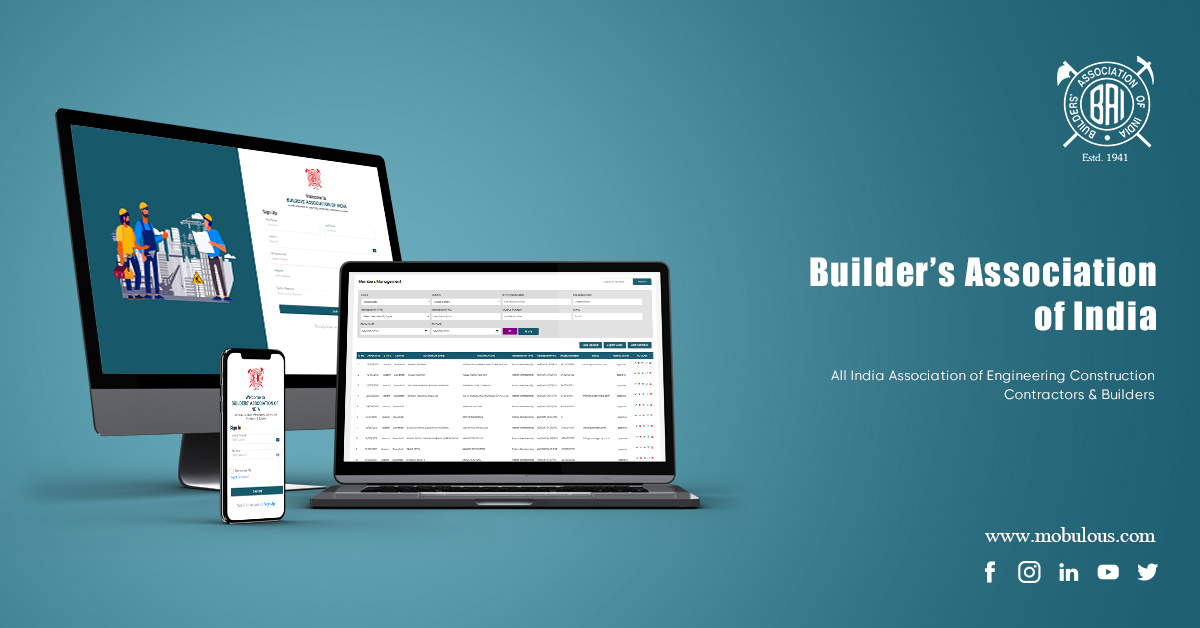
How the BAI membership site was built so builders and constructors can be found and managed in one place.
Continue Reading

A practical path from idea to production: models, data, product surfaces, and what to scope before you build.
Continue Reading

Narrow scope, ship a real first version, and learn from users before you scale the product.
Continue Reading
Construction software development is the work of building digital tools for construction operations: project management, estimating, field capture, safety, purchasing and owner-facing progress. It is software for how a job is run, not a property listing marketplace and not the "construction" phase of a generic software development lifecycle.
Construction management software holds scheduling, budgets, estimating, purchasing, field updates and related records in one operational system so site and office work from the same project truth. On this page the primary evidence is iBuild, a cloud residential builder suite for multi-family residential work.
Three products appear in the public record on this page: iBuild (construction management for residential builders), iContractor (window measurement to contractor bidding marketplace) and Builder Association of India (membership CRM). Property listing products are not treated as construction proof and are covered on the real estate app development page.
Offline behaviour is decided during scoping because jobsites often have no reliable signal. Core capture such as photos, inspections and status updates may need to write without a network and sync later. Sync conflict rules belong in the same decision, not after launch.
Evidence on this page records Node.js, React and Angular across iBuild, iContractor and Builder Association of India. Field applications are scoped through mobile app development. Other stacks discussed in the industry are not claimed as delivered construction experience here.
Construction software serves project operations: schedules, costs, field capture, safety and handover. Real estate listing and buyer marketplace products serve property discovery and transactions. Those products, including Homies4U-style listing apps, belong on the real estate app development page and are not used as construction management evidence here.
Cost follows the written scope produced through free functional and technical discovery calls. Drivers include offline and sync behaviour, roles, integrations with accounting or BIM tools the client already runs, field devices and reporting. A mutual NDA is available before detailed discussion. This page does not publish price bands.
Yes. Four months of free post launch support is standard in every contract. Source code and IP transfer to the client on delivery. Longer maintenance can be scoped separately after that period.
Mobulous was founded in 2013 and reports 12+ years of software delivery, with 700+ apps delivered and 500+ clients across 30+ countries.
Talk through site and office workflows, offline behaviour and sync before any proposal. 700+ apps delivered, 500+ clients, 12+ years, 4.7/5 on Clutch (103 reviews). Mutual NDA before detailed discussion. ISO/IEC 27001:2022.
Related: mobile app development · web application development · real estate app development · iBuild · iContractor · Builder Association of India · portfolio.
Orientation for teams evaluating construction software. Platforms and tools named below appear as industry context or integration targets a client may already need, not as Mobulous deliveries unless listed in the portfolio section above.
Construction software is specialised digital tooling for construction projects: project management, scheduling, resource allocation, budgeting, compliance tracking, field capture and design collaboration.
By centralising information and digitising routine processes, it aims to reduce errors and improve communication across teams building infrastructure and buildings. It is distinct from property listing software; buyer-facing listing products belong under real estate app development.
The central aim is to keep construction work coordinated: one place to manage tasks, communicate among stakeholders and reduce time spent on manual handoffs.
Teams use it to tighten planning accuracy, track progress as it happens, allocate resources with fewer collisions and keep regulatory records available. The operational goal is successful completion with fewer disputes caused by missing or conflicting information.
Feature sets vary by product. Common modules teams evaluate include:
1. Project management dashboard. Overview of status, KPIs and timelines so managers can find current information quickly.
2. Resource allocation and scheduling. Assignment of people, materials and equipment, with schedule creation and availability tracking to reduce bottlenecks.
3. Budget and cost management. Budgets, forecasts and expense tracking with visibility into overruns and cost reports.
4. Document management. Shared repository for specifications and drawings with version control and permissions so teams work from current files.
5. BIM as an integration concept. Many organisations need construction software to exchange data with Building Information Modeling environments for coordination and clash-related workflows. BIM platforms are integration targets a client may already run, not a claim of delivered third-party suites on this page.
6. Mobile accessibility. Field apps for on-site access and updates, including digital forms, photo documentation and offline behaviour where connectivity is poor. Field surfaces connect to mobile app development.
7. Reporting and analytics. Custom reports on progress, financial metrics and resource utilisation.
8. Communication and collaboration. Messaging, task assignment, file sharing and notifications so stakeholders stay aligned.
9. Safety and compliance. Protocols, incident tracking, audits and digital records of training and certifications.
10. Estimation and bidding. Cost estimates and competitive bids, often drawing on material databases and historical project data.
Software supports the project lifecycle; the organisational steps remain familiar:
1. Initiation and planning. Define scope, objectives and deliverables. Produce a charter and plan covering timelines, budget estimates and resources. Identify stakeholders and communication rules.
2. Design and pre-construction. Work with design professionals on specifications, permits and site assessments. Prepare bid documents and select contractors through a competitive process.
3. Resource allocation and scheduling. Assign work based on expertise and availability. Build a detailed schedule with milestones for each phase.
4. Construction phase management. Monitor progress against plan, run inspections and quality checks, handle change orders and maintain safety and environmental standards.
5. Closure and handover. Final inspections, documentation including as-built records, client handover and a post-project review for lessons learned.
Yes. Most construction platforms include reporting on project status, resource utilisation and budget performance. Users typically customise reports by metric, project slice or timeframe.
Reporting quality depends on whether field and office data actually sync into the same records. Without that, reports look precise and remain wrong.
Many construction systems include inventory and material tracking: stock levels, procurement and usage across projects.
Some connect to supplier systems for price updates or reordering. The operational value is fewer shortages, less waste and tighter cost control when material movements are recorded where the work happens.
Language choice follows requirements. Industry options teams discuss include Java and C# for enterprise Windows-centric environments, Python for analytics components, JavaScript with React, Vue or Angular for interactive web interfaces, .NET for Windows-heavy stacks, Ruby on Rails for rapid web delivery and PHP where existing web stacks must be extended.
Those are industry options, not a Mobulous delivery list. Evidence on this page for construction products records Node.js, React and Angular. Field apps are scoped via mobile app development.
Construction data mixes structured records (budgets, timelines, resources) with documents and media (drawings, photos). Common patterns:
Architecture decisions also cover access control, backup and recovery, query performance under large sets and integration with other construction tools.
1. Encryption. Protect data at rest and in transit with current protocols for network and document sensitivity.
2. Access control and authentication. Multi-factor authentication where risk warrants it, role-based access, strong password policy and session timeouts.
3. Audits and testing. Periodic security review, patching and logging of access and permission changes.
4. Backup and recovery. Automated backups, secure off-site or encrypted storage and a tested recovery plan.
Jobsites may need construction software to accept location tags, imagery or sensor feeds as integrations. GPS can support asset or personnel context and geofencing. Imagery from site surveys may feed progress views. Sensor feeds, where a client already operates them, may inform environmental or equipment monitoring.
These are integration concepts a client may require. They are not presented here as delivered IoT or drone products. Scope starts from which devices and data sources already exist on site and what must land in the project record.
Effective RBAC for construction usually follows these steps:
1. Define roles such as project manager, site supervisor, contractor, subcontractor, worker, design professionals and client.
2. Determine permissions for read and write access to documents, financials and field records per role.
3. Use least privilege so each role has only what the job requires.
4. Allow flexible assignment when people hold more than one role across projects.
5. Authenticate strongly for high-access roles and keep audit logs of permission changes.
6. Review access regularly as project phases and staffing change.
Some construction organisations explore machine learning for schedule risk, cost overrun signals or resource planning. Typical industry approaches start with historical project data, then models for timeline or cost prediction, then careful review of recommendations against operational judgment.
That describes how teams approach the topic. It is not a delivery claim for AI or ML construction products on this page. Any analytics work belongs in a written scope with data quality and acceptance criteria defined first.
Teams partner with a software firm when they need custom workflows, integrations and support rather than a generic off-the-shelf fit. Practical benefits buyers usually weigh:
1. Domain-aware scoping that maps site and office reality before features are designed.
2. Custom workflows aligned to how the organisation already runs jobs.
3. Scalability planning for more users, projects and data volume over time.
4. Ongoing support after launch, including Mobulous's standard four months free post launch support with IP transfer on delivery.
5. Integration capability with accounting, ERP or BIM tools the client already depends on.
6. Security and compliance hygiene appropriate to project and commercial data.
1. Define requirements. Capture features, integrations, offline needs and stakeholders before vendor conversations deepen.
2. Research candidates. Review industry experience, portfolio evidence and client feedback.
3. Check technical fit. Confirm stacks and integration experience against your constraints. On this page, evidenced construction stacks are Node.js, React and Angular.
4. Review comparable work. Examine case pages such as iBuild, iContractor and Builder Association of India.
5. Assess communication. Look for clear discovery, scoping, testing and deployment processes.
6. Plan for long-term support. Confirm maintenance terms and how the product can evolve.
7. Negotiate on a written scope. Timelines and commercial terms follow discovery, mutual NDA when needed, and a documented scope rather than informal estimates.
Related reading: Mobulous, including mobile app development services, including web application development services.