



















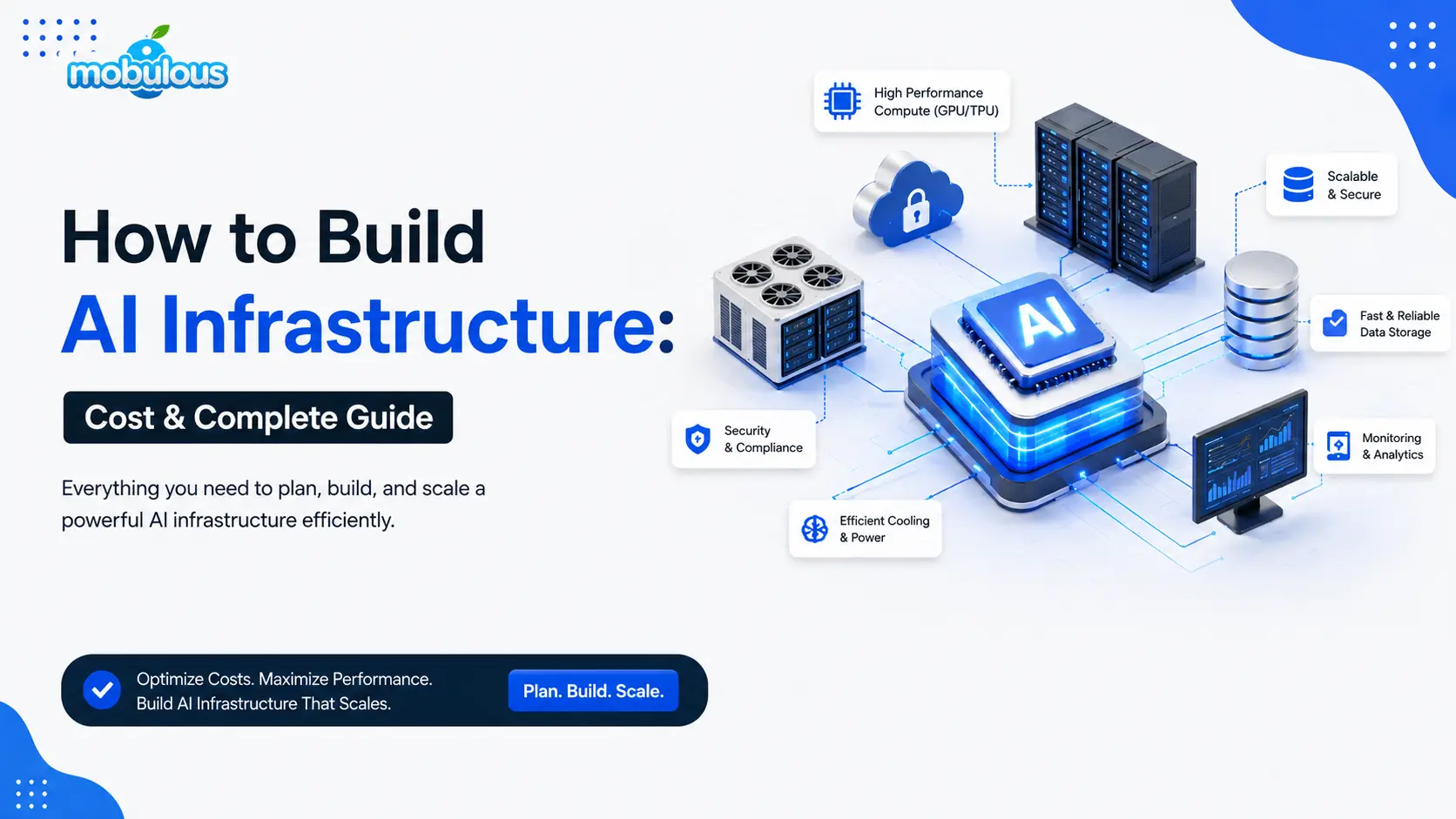
Businesses adopting machine learning, generative AI, computer vision, and predictive analytics quickly run into the same wall: good ideas outrun the systems needed to run them. AI infrastructure, the compute, storage, networking, and software layers behind any AI application, decides whether a project ships on budget or stalls. This guide walks through what it is, what it costs, and how to build it right.
What Is AI Infrastructure?
AI infrastructure is the combined set of hardware, software, and networking systems that allow organizations to train, deploy, and run AI models reliably. It covers everything from GPU servers and data pipelines to the machine learning infrastructure and orchestration tools that keep models running in production.
AI Infrastructure vs. Traditional IT Infrastructure
| Aspect | Traditional IT Infrastructure | AI Infrastructure |
| Primary workload | Web apps, databases, transactions | Model training, fine-tuning, inference |
| Core hardware | CPUs | GPUs/TPUs alongside CPUs |
| Data patterns | Structured, moderate volume | Massive, often unstructured (text, images, video) |
| Scaling pattern | Predictable, mostly linear | Bursty and workload-dependent |
| Main cost driver | Server count, storage capacity | Compute-hours, GPU memory, data movement |
What Does AI Infrastructure Consist Of?
AI infrastructure is built from five interconnected components: compute, storage, networking, software orchestration, and monitoring. Each one directly affects performance, reliability, and cost.
1. Compute Infrastructure: CPUs, GPUs, & TPUs
Compute is the engine room. GPUs and TPUs handle the parallel math behind model training and inference, while CPUs manage general application logic. Choosing the right mix of GPU infrastructure is usually the single biggest cost decision you’ll make.
2. Storage & Data Infrastructure
AI models are only as good as the data feeding them. A solid AI data infrastructure needs fast storage for active training data, cheaper archival storage for historical data, and a reliable data pipeline connecting both to your models.
3. Networking Infrastructure
Networking moves data between storage, compute clusters, and end users. For distributed training across multiple GPUs, low-latency, high-bandwidth connections aren’t optional: they directly determine how fast (and how expensively) a model finishes training.
4. AI Software & Orchestration
This layer includes frameworks (like PyTorch or TensorFlow), orchestration tools (like Kubernetes), and MLOps platforms that automate training runs, deployments, and version control. It’s what turns raw hardware into a repeatable, manageable system.
5. Monitoring, Security, & Governance
Once models are live, you need visibility into performance, cost, and behavior, plus safeguards for data access, model outputs, and compliance. Weak AI infrastructure management here is one of the most common causes of runaway cloud bills and compliance headaches.
AI Infrastructure Architecture: Key Components & Design
AI infrastructure architecture describes how compute, data, and software layers connect and communicate. Getting this design right early prevents costly rework once workloads scale beyond a pilot.
1. Compute Layer
This is where models actually train and run. It typically includes GPU clusters for heavy workloads and CPU instances for lighter tasks, sized according to model complexity and expected traffic.
2. Data & Storage Layer
This layer holds raw data, processed datasets, and model artifacts. It needs to support fast reads for training jobs and durable, versioned storage so experiments stay reproducible over time.
3. Model Training Layer
The training layer manages the actual process of teaching a model on data: distributing workloads across GPUs, tracking experiments, and checkpointing progress so long AI model training runs can resume after interruptions.
4. Model Serving & Inference Layer
Once trained, models need to be deployed for real-world use. This layer handles AI deployment, request routing, and AI inference at low latency, often behind APIs that other applications call directly.
5. Networking & Data Transfer Layer
This layer connects every other layer, moving data between storage and compute and connecting inference endpoints to end-user applications, while keeping latency and transfer costs under control.
6. Monitoring & Management Layer
This layer tracks system health, model accuracy drift, resource utilization, and spend. Without it, teams often discover performance or cost problems only after they’ve become expensive to fix.
How to Build AI Infrastructure Step by Step
Building AI infrastructure works best as a sequence of deliberate decisions rather than a single big purchase. The steps below reflect the order most teams should follow in practice.
Step 1: Define Your AI Workloads & Requirements
Start by defining what you’re actually building: a chatbot, a recommendation engine, a computer vision pipeline, or something else. Estimate data volume, model size, and expected traffic. Skipping this step is the most common mistake: teams often buy compute for a workload they haven’t clearly defined yet, leading to overspend or underpowered systems.
Step 2: Choose Cloud, On-Premises, or Hybrid Infrastructure
Decide where your infrastructure will live. Cloud suits variable or early-stage workloads; on-premises suits steady, high-volume, or data-sensitive use cases; hybrid blends both. Avoid locking into a single model too early. Many businesses start on cloud AI infrastructure and shift specific workloads on-premises once usage patterns stabilize and costs become predictable.
Step 3: Select GPUs & Compute Resources
Match GPU type to workload: smaller models and inference-heavy tasks need less powerful (and cheaper) GPUs than large-scale training. Consider memory capacity, not just raw speed, since running out of GPU memory mid-training is a common and costly setback. Avoid over-provisioning high-end GPUs for workloads that don’t need them.
Step 4: Design Your Data & Storage Architecture
Map out how data flows from source to model: ingestion, cleaning, storage tiers, and access patterns. Plan for both fast storage during active training and cost-efficient archival storage afterward. A frequent mistake is treating storage as an afterthought, which later causes slow training jobs and data bottlenecks that are hard to untangle.
Step 5: Build the AI/ML Platform
Assemble the software layer: frameworks, experiment tracking, model registries, and orchestration tools that automate training and deployment. This platform layer is what turns infrastructure into something your data science team can actually use repeatedly, rather than reconfiguring environments manually for every project.
Step 6: Implement Networking & Security
Set up secure, low-latency connections between compute, storage, and applications. Apply access controls, encryption, and audit logging from day one. Retrofitting security into AI infrastructure after launch is significantly harder and riskier than building it in from the start, especially for regulated industries.
Step 7: Add Monitoring & Automation
Deploy monitoring for GPU utilization, latency, error rates, and cost. Automate routine tasks like scaling, retraining triggers, and alerting. Without this, teams typically operate reactively, discovering performance or budget issues only after they’ve already affected users or racked up unexpected charges.
Step 8: Test, Scale, & Optimize the Infrastructure
Load-test the system under realistic traffic, identify bottlenecks, and scale the components that need it, not everything uniformly. Treat AI infrastructure scalability as an ongoing process rather than a one-time setup, revisiting capacity and cost assumptions as usage grows or workloads change.
How Much Does AI Infrastructure Cost?
There’s no single honest answer to AI infrastructure cost. It depends heavily on scale, deployment model, and workload type. As a rough range, a small cloud-based setup can run around $1,000 a month, while large enterprise deployments can exceed $1,000,000 annually. What matters is matching spend to actual need.
Cloud vs. On-Premise AI Infrastructure Cost
| Setup Type | Typical Cost Range | Best Suited For |
| Small cloud pilot (APIs, light fine-tuning) | $1,000 – $10,000/month | Startups, MVPs, proof of concept |
| Mid-size cloud AI infrastructure (dedicated GPU instances) | $10,000 – $100,000/month | Growing products with steady training/inference needs |
| Large-scale cloud or hybrid deployment | $100,000 – $500,000+/month | Enterprise AI infrastructure, multiple production models |
| On-premises GPU cluster | $250,000 – $1,000,000+/year | High-volume, data-sensitive, long-term workloads |
Figures are illustrative estimates based on general market patterns as of 2026, not vendor quotes. Actual costs vary by provider, region, GPU model, and usage.
Cloud vs. On-Premise AI Infrastructure: Which Is Better?
Neither option is universally better. The right choice depends on workload predictability, data sensitivity, budget structure, and how quickly you need to scale up or down.
Advantages & Disadvantages of Cloud AI Infrastructure
| Advantages | Disadvantages |
| No upfront capital investment | Costs can scale unpredictably with heavy usage |
| Fast to provision and experiment with | Less control over hardware and data locality |
| Elastic scaling for variable workloads | Risk of vendor lock-in over time |
| Access to newest GPUs without owning | Ongoing storage and data transfer fees add up |
Advantages & Disadvantages of On-Premise AI Infrastructure
| Advantages | Disadvantages |
| Full control over data and hardware | High upfront capital cost |
| Predictable long-term cost at large scale | Slower to provision and scale up |
| Easier to meet strict compliance needs | Requires dedicated in-house expertise |
| No recurring cloud usage charges | Hardware ages and needs periodic refresh |
How to Choose the Right AI Infrastructure for Your Business
Choosing the right setup means matching infrastructure to actual workload demands, not to what looks impressive on paper or what a competitor is using.
1. Consider Model Size & Complexity
Larger, more complex models need more GPU memory and compute power. A small classification model and a large generative model have very different infrastructure needs, so size your setup to the model you’re actually running.
2. Estimate Training & Inference Requirements
Training is compute-intensive but often occasional; inference runs continuously once live. Estimate both separately, since a setup optimized purely for training can be poorly suited, and expensive, for sustained inference traffic.
3. Evaluate Performance & Latency Requirements
Real-time applications like chatbots or fraud detection need low-latency inference infrastructure, while batch processing tasks can tolerate delays. Matching infrastructure to latency needs avoids paying for speed you don’t actually need.
4. Plan for Scalability
Design infrastructure that can grow with usage rather than requiring a rebuild at every growth stage. AI infrastructure scalability should be considered from day one, even if you start small.
5. Consider Security & Compliance Requirements
Regulated industries like healthcare and finance often require specific data handling, residency, and audit controls. These requirements can significantly influence whether cloud, on-premises, or hybrid infrastructure makes more sense.
6. Calculate Total Cost of Ownership
Look beyond sticker price to include maintenance, staffing, energy, and scaling costs over time. A cheaper upfront option can become more expensive than a pricier one once total cost of ownership is factored in.
Common AI Infrastructure Challenges
Most organizations building AI infrastructure run into a familiar set of obstacles. Recognizing them early makes them far easier to manage.
1. High GPU Costs & Limited Availability
High-performance GPUs are expensive and sometimes hard to source during demand spikes. Mitigate this by reserving capacity in advance, using multiple providers, or right-sizing GPU selection to actual workload needs.
2. GPU Underutilization
Many organizations pay for GPU capacity that sits idle much of the time. Scheduling workloads efficiently and sharing GPU resources across teams or projects helps close this gap.
3. Data Bottlenecks
Slow data pipelines can leave expensive compute waiting idle. Investing in faster storage tiers and streamlined data preprocessing keeps compute resources fully utilized instead of stalled.
4. Infrastructure Scalability
Systems built for a pilot often buckle under production traffic. Designing for elasticity from the start, rather than retrofitting it later, avoids painful, costly rearchitecting down the line.
5. Managing Complex AI Workloads
Coordinating training, fine-tuning, and inference across multiple models gets complicated fast. MLOps platforms that automate scheduling, versioning, and deployment reduce this operational burden significantly.
6. Security & Compliance Challenges
AI systems handle sensitive data and can introduce new attack surfaces. Strong access controls, encryption, and regular audits are essential, especially for enterprise AI infrastructure in regulated sectors.
How to Optimize AI Infrastructure Costs
Cost optimization isn’t about spending the least. It’s about getting the most useful AI output per dollar spent.
1. Improve GPU Utilization
Batch requests, share GPU resources across workloads, and monitor idle time closely. Small utilization improvements often produce meaningful savings without touching hardware budgets at all.
2. Use the Right GPU for Each Workload
Not every task needs the most powerful GPU available. Matching GPU class to workload complexity, lighter GPUs for inference and heavier ones for training, cuts costs without hurting performance.
3. Optimize Model Training & Inference
Techniques like quantization, model distillation, and efficient batching reduce compute demand while preserving acceptable accuracy, often lowering both training time and ongoing inference costs.
4. Use Autoscaling & Workload Scheduling
Autoscaling adjusts compute capacity to actual demand instead of running peak capacity around the clock. This alone can meaningfully reduce cloud AI infrastructure spend for variable-traffic applications.
5. Consider Spot & Reserved Compute
Spot instances offer discounted compute for interruptible workloads, while reserved instances lower costs for predictable, long-term usage. Combining both strategically can significantly reduce overall spend.
6. Monitor Infrastructure Costs Continuously
Set up cost dashboards and alerts rather than reviewing bills after the fact. Continuous visibility catches waste early, before it compounds into a much larger unnecessary expense.
Best Practices for Building AI Infrastructure
These practices apply across nearly every deployment model and business size, and they tend to separate infrastructure that scales smoothly from infrastructure that requires constant firefighting.
1. Design for Scalability From the Start
Build with modular, loosely coupled components so individual pieces can scale independently as demand grows, rather than requiring a full rebuild later.
2. Build for Reliability & Fault Tolerance
Add redundancy for critical components and plan for graceful failure. AI systems that fail silently or completely during peak demand damage trust quickly.
3. Automate Infrastructure Management
Use infrastructure-as-code and automated pipelines wherever possible. Manual setup doesn’t scale and introduces inconsistency across environments over time.
4. Prioritize Security
Bake in encryption, access controls, and audit logging from the beginning rather than treating security as a post-launch addition.
5. Monitor Performance & Costs
Track both technical performance and spend together, since the two are closely linked and neither tells the full story alone.
6. Avoid Overprovisioning
Resist the urge to buy more compute than current workloads justify. Scale up deliberately, backed by real usage data, not projections alone.
AI Infrastructure Checklist
Use this checklist before launching or scaling an AI project to catch common gaps early.
1. Compute
- GPU/CPU type matched to actual workload
- Capacity planned for both training and inference
- Scaling strategy defined for demand spikes
2. Storage & Data
- Fast storage for active training data
- Archival storage for historical datasets
- Reliable, automated data pipelines in place
3. Networking
- Low-latency connections between compute and storage
- Bandwidth planned for distributed training
- Secure, monitored data transfer paths
4. Security
- Encryption at rest and in transit
- Role-based access controls implemented
- Compliance requirements mapped to architecture
5. MLOps & Monitoring
- Experiment tracking and model versioning enabled
- Performance and drift monitoring in place
- Automated deployment pipelines configured
6. Cost Management
- Budget aligned to workload, not guesswork
- Cost dashboards and alerts active
- Regular review of GPU utilization scheduled
Conclusion
Choosing the right AI infrastructure comes down to matching architecture to actual workloads rather than chasing the biggest setup available. Prioritize scalability, security, and performance alongside cost efficiency, and assess your requirements carefully before committing significant budget to hardware or cloud spend.
If you’re planning an AI-powered application and want an experienced technology partner to help design, build, and scale the infrastructure behind it, Mobulous works with startups and enterprises to plan and develop AI-powered apps and the supporting systems that keep them running reliably. Explore our AI and ML development services or get in touch to talk through your specific requirements.
Frequently Asked Questions – AI Infrastructure
Q1. What is AI infrastructure?
Ans. AI infrastructure is the combination of compute, storage, networking, and software systems required to train, deploy, and run AI models. It supports everything from data processing to real-time inference in production applications.
Q2. How do you build AI infrastructure?
Ans. Building AI infrastructure involves defining workload requirements, choosing a deployment model (cloud, on-premises, or hybrid), selecting compute resources, designing data storage, and adding orchestration, security, and monitoring layers around them.
Q3. How much does AI infrastructure cost?
Ans. Costs vary widely by scale and workload. A small cloud-based setup can start around $1,000 monthly, while large enterprise deployments with dedicated GPU clusters can exceed $1,000,000 annually. Sizing should follow actual workload needs.
Q4. Is cloud or on-premises infrastructure better for AI?
Ans. Neither is universally better. Cloud suits variable, early-stage, or fast-moving workloads, while on-premises fits steady, high-volume, or data-sensitive use cases. Many businesses eventually adopt a hybrid approach as needs mature.
Q5. What is the best GPU for AI infrastructure?
Ans. The “best” GPU depends on workload size and budget. For large-scale training and demanding enterprise workloads, high-end options like the NVIDIA B200 (Blackwell) offer strong performance, though smaller workloads rarely need hardware at that tier.
Q6. What infrastructure is needed to run an AI model?
Ans. At minimum, you need compute (CPU/GPU), storage for data and model artifacts, networking to connect components, and software for serving inference requests. Production systems also need monitoring, security, and scaling mechanisms.
Q7. How can you reduce AI infrastructure costs?
Ans. Improve GPU utilization, match hardware to workload size, use autoscaling and spot instances where appropriate, optimize models through techniques like quantization, and monitor spend continuously rather than reviewing costs after the fact.